
Introduction
In this project, I led AWS Transform team to design world’s first agentic platform that enables customer modernize legacy technology to cloud. Customers want to modernize their data, but have been challenged by the complex process and data relationship of the project. Although AI has been helpful suggest data groups, interpret business goals, and even operate some task autonomously, customers would like to be in control of the results and make further edits. As a result, I worked with customers closely and curated the experience so customer and AI agents can collaborate to improve the efficiency of data modernization.
Persona
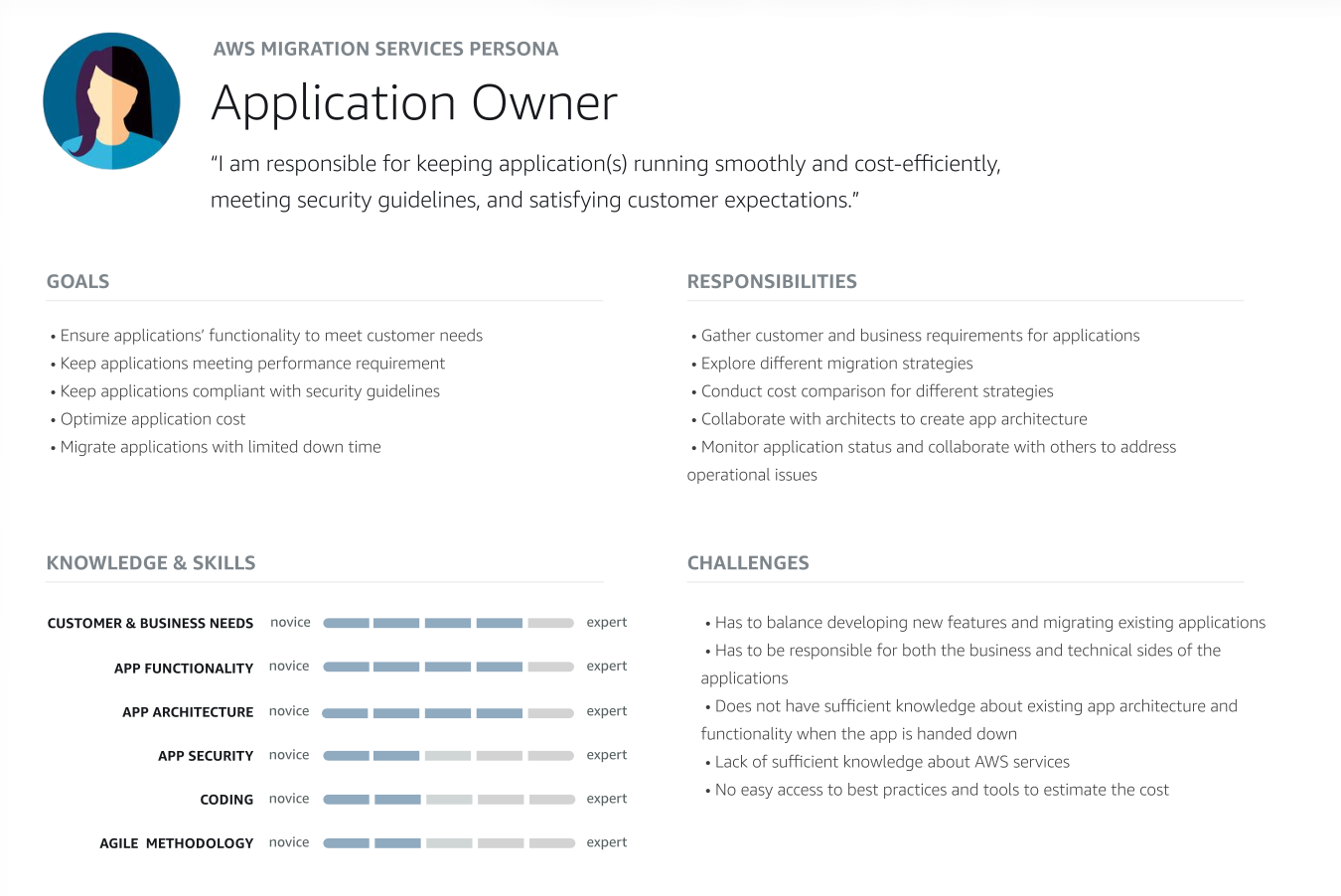
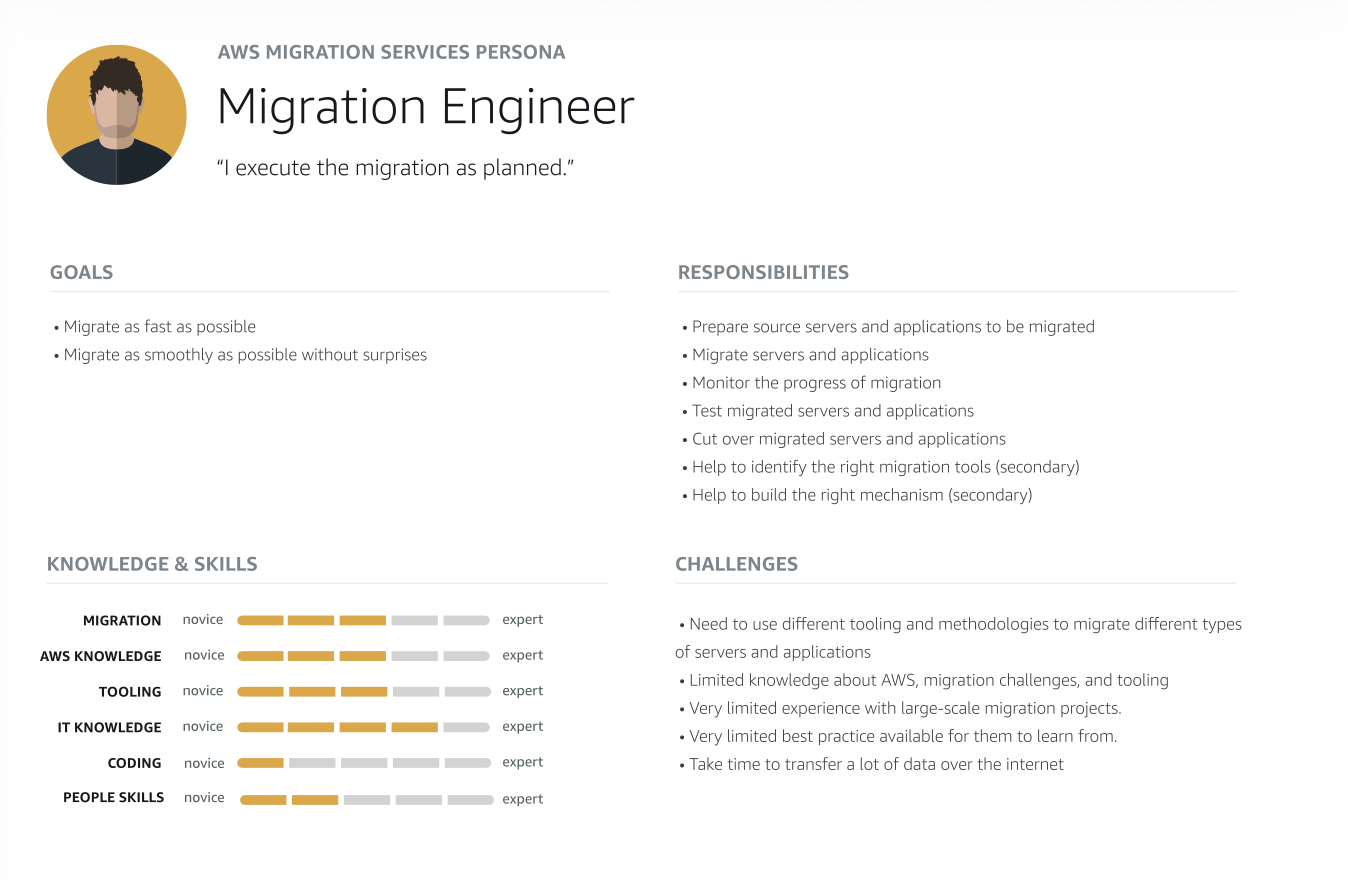
First buildout
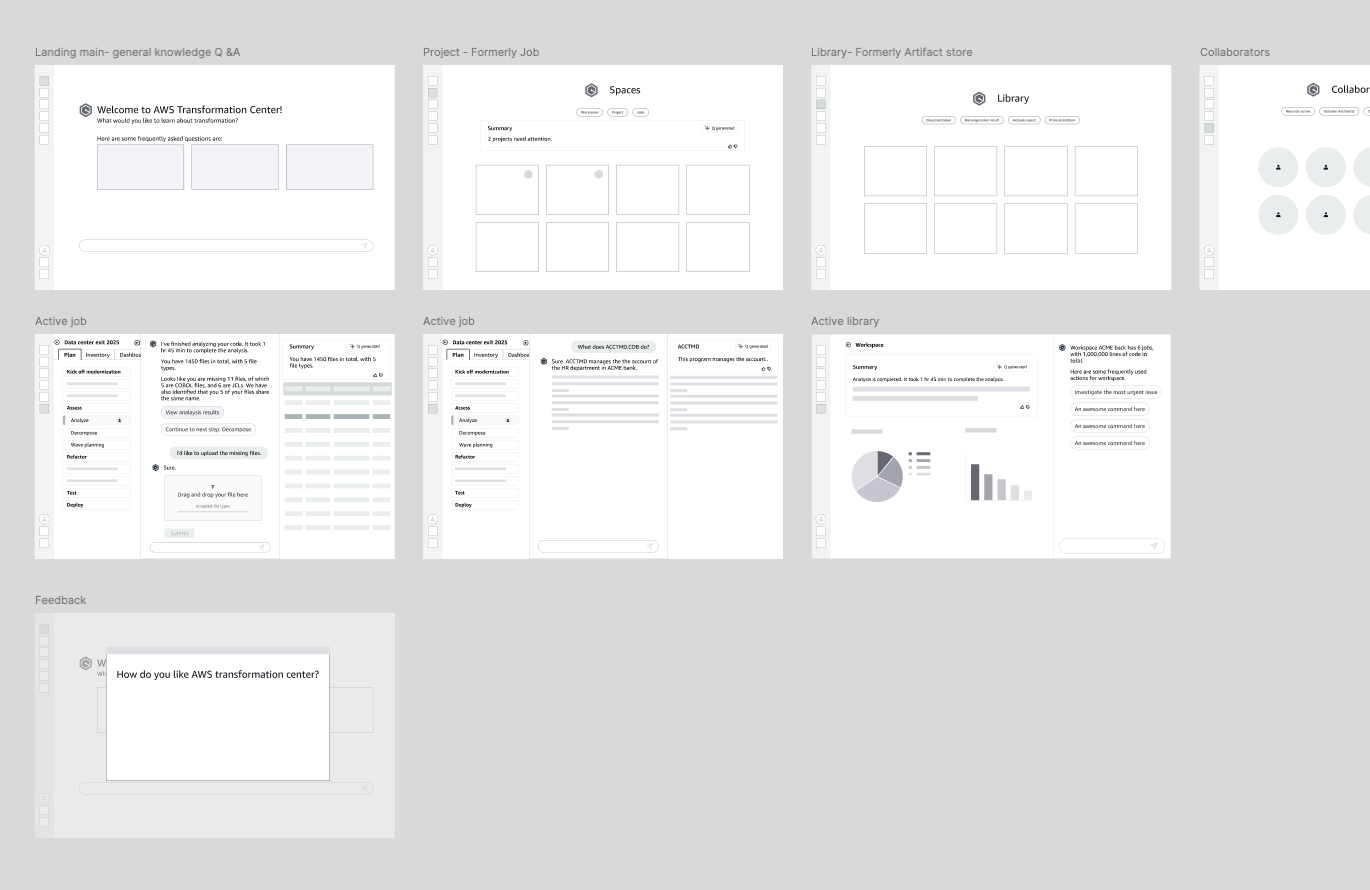
The general concept here is, each type of modernization project constistutes series of steps as "job plan", once the plan is determined, user can follow instructions in the tool, take action, and move to the following steps until they complete the project.
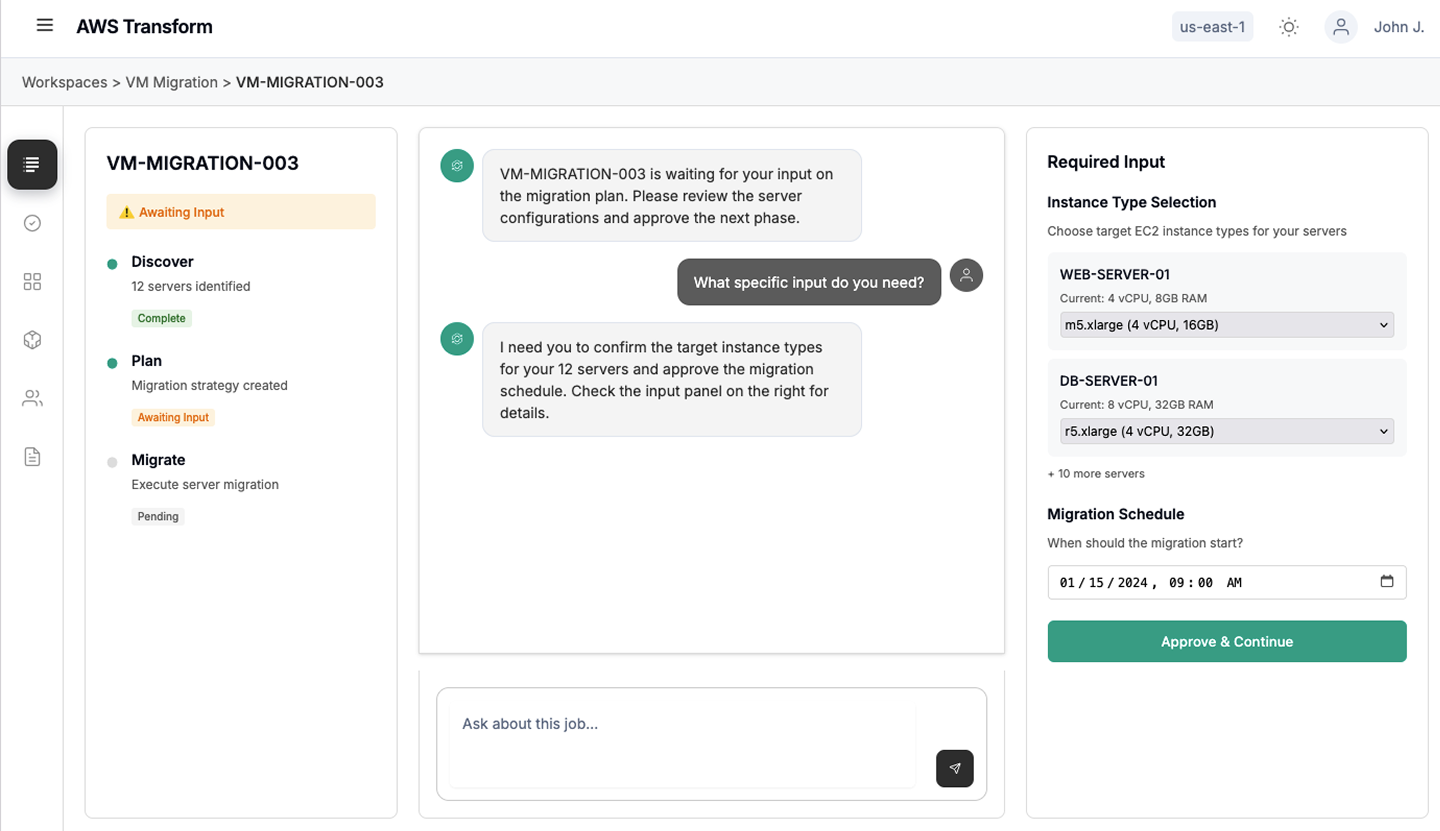
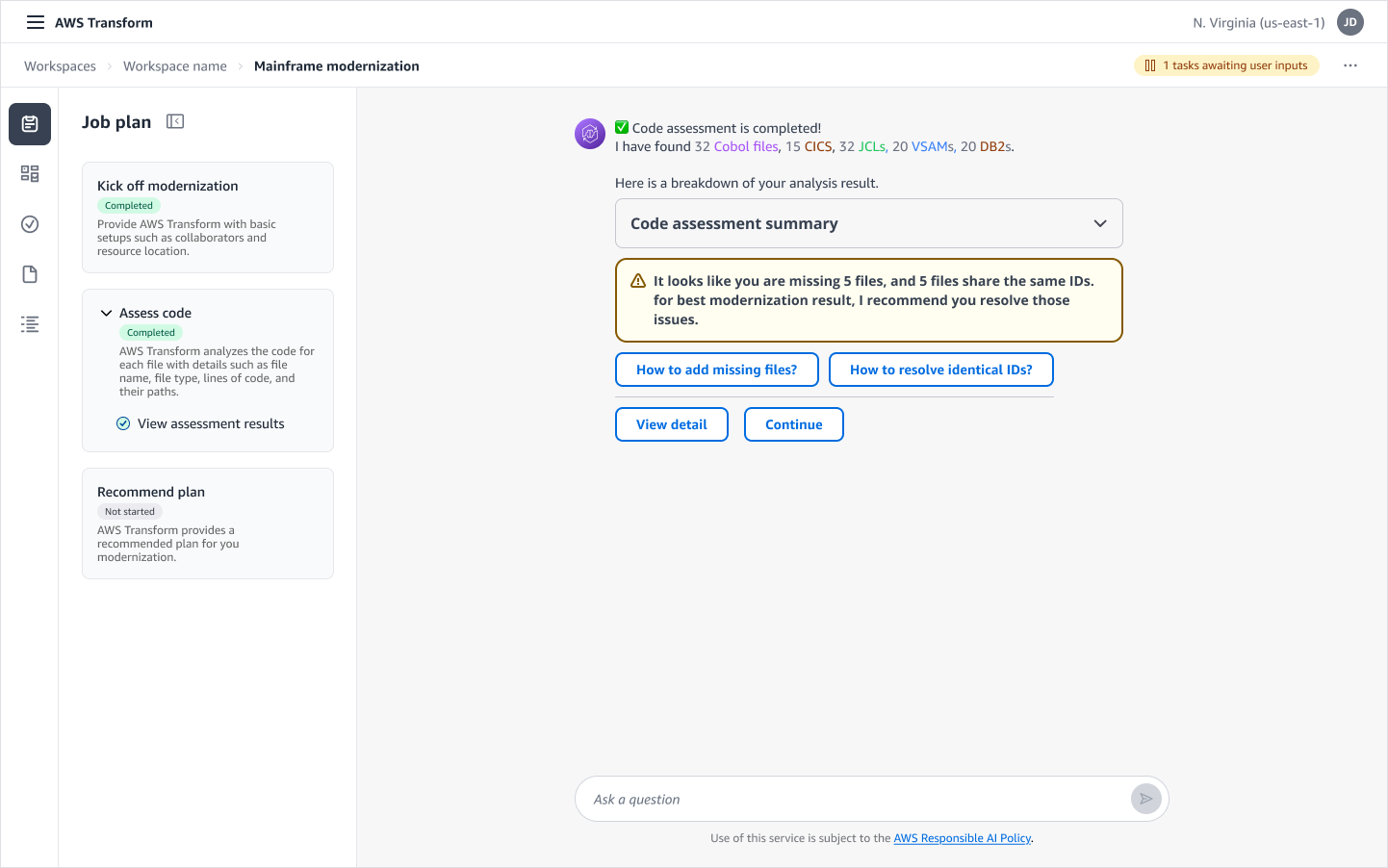
Initial design was built quickly, on the left side of interface, the tool presents user with a list of tasks, each task comes with status and sub tasks. Each task is powered by a specialized agent. On the right sde, outputs from each task is presented to the user for review, modification and decision on whether to move forward.
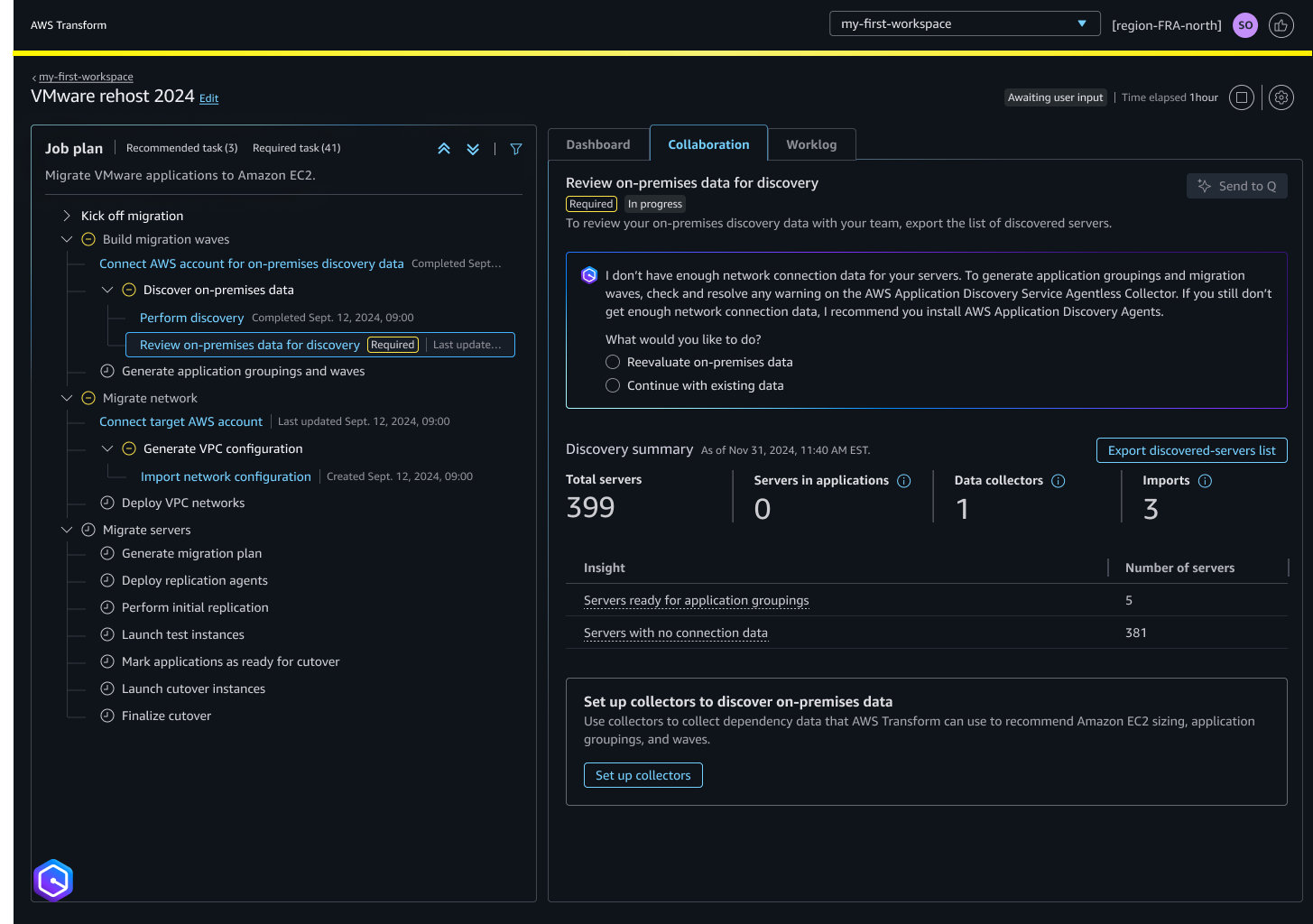
I conducted qualitative and quantitative research with 11 internal users and 17 customers. Some of the research were conducted virtually, some were in person at customer conferences. I summarized the research result and feed those to the product roadmap afterwards.
The look and feel
Customers found the design was too dense.
Customers were not sure about the purpose of the status bar at the top.
Customers would love to interact with the agent more, but they could not find the conversation interface.
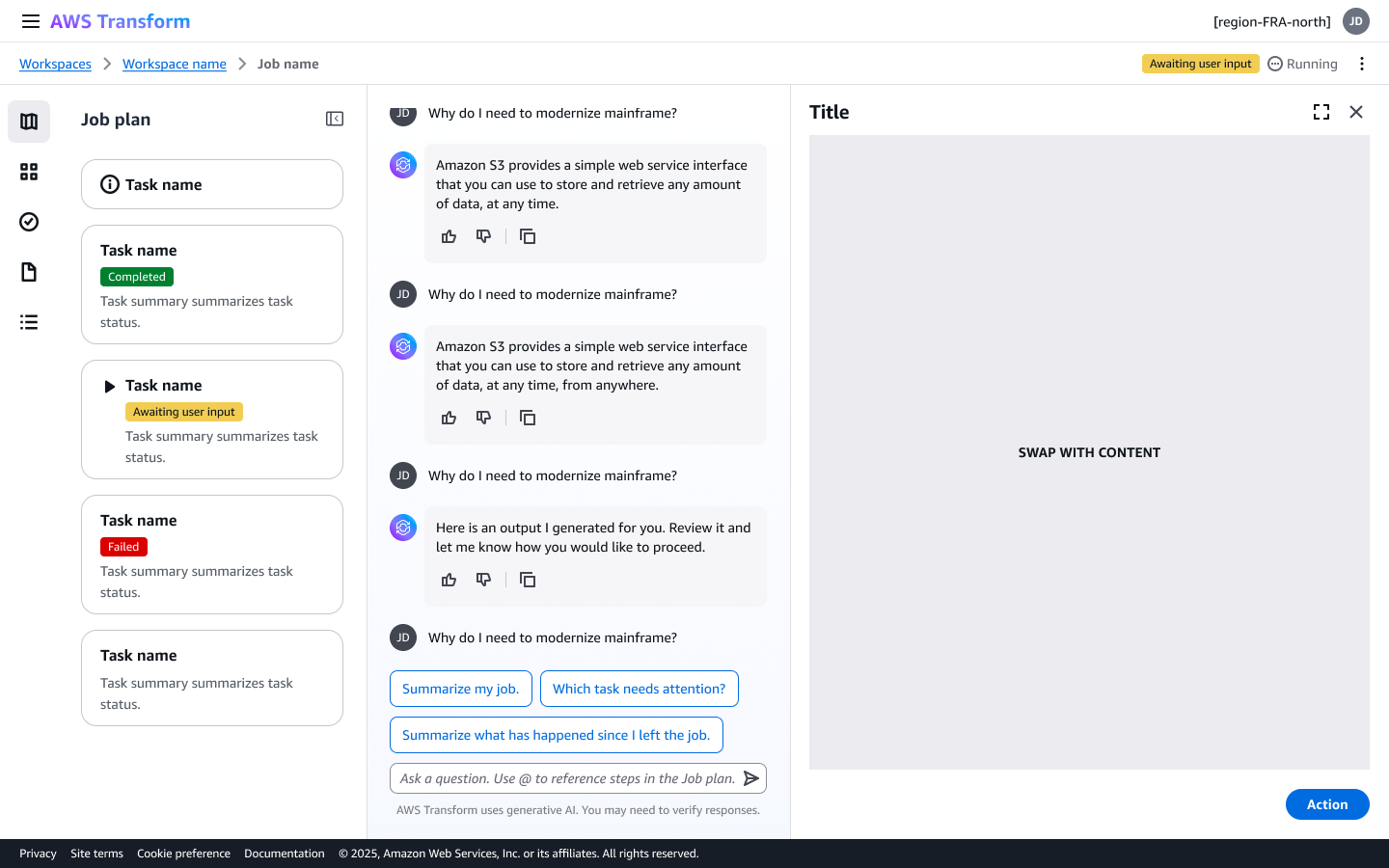
I replaced the design theme, modified the typography, font size and spacings, set the light theme to be default.
Some of the exploration were done by tweaking design.md, which turns out to be handy when updating the look and feel at system level.
To chat, or not to chat?
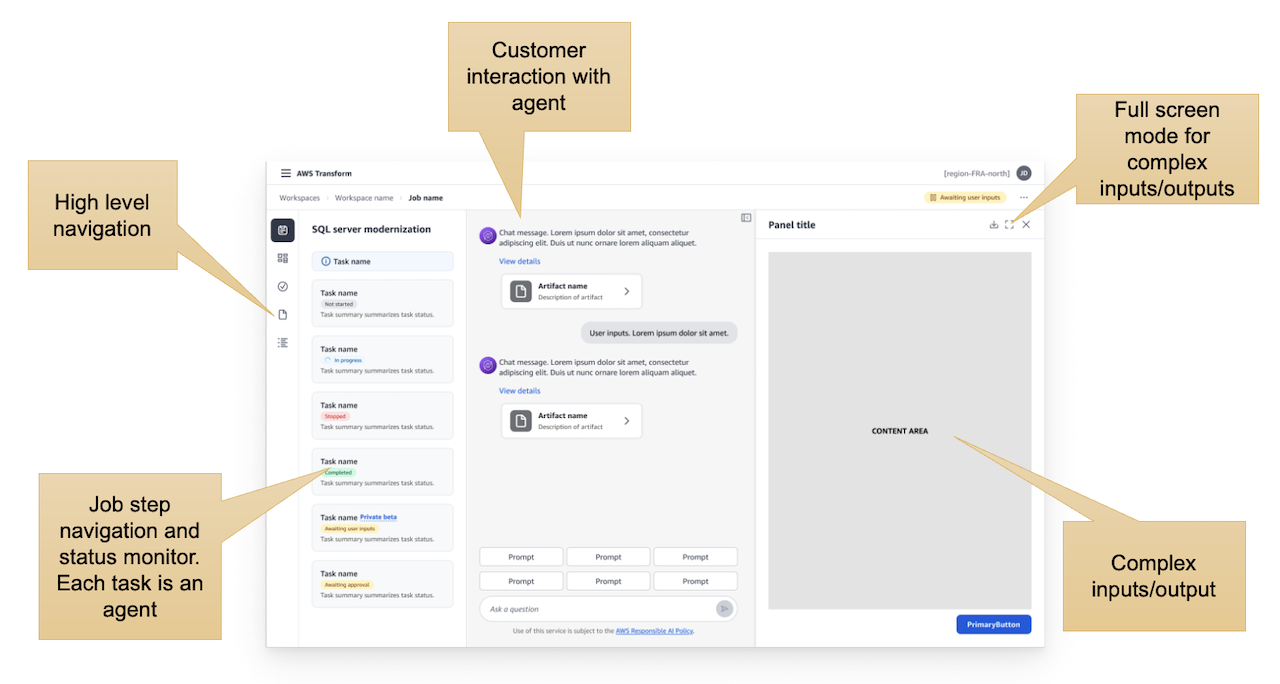
In the first version of the project, the agent does not have much intelligence yet. So in the beginning the chat was intentionally hidden from the user. The outputs are mostly shown in the panel on right side. As agentic AI develops, 5 months later the agent can produce many results through conversation alone. However, there are constraints with chat interface as well, for example, information is easily lost in chat, traceability of data is poor. Furthermore, for large quantity of data, it is much slower to display in chat.
Interaction patterns are needed for user to switch between chat and non-chat interface, such as:
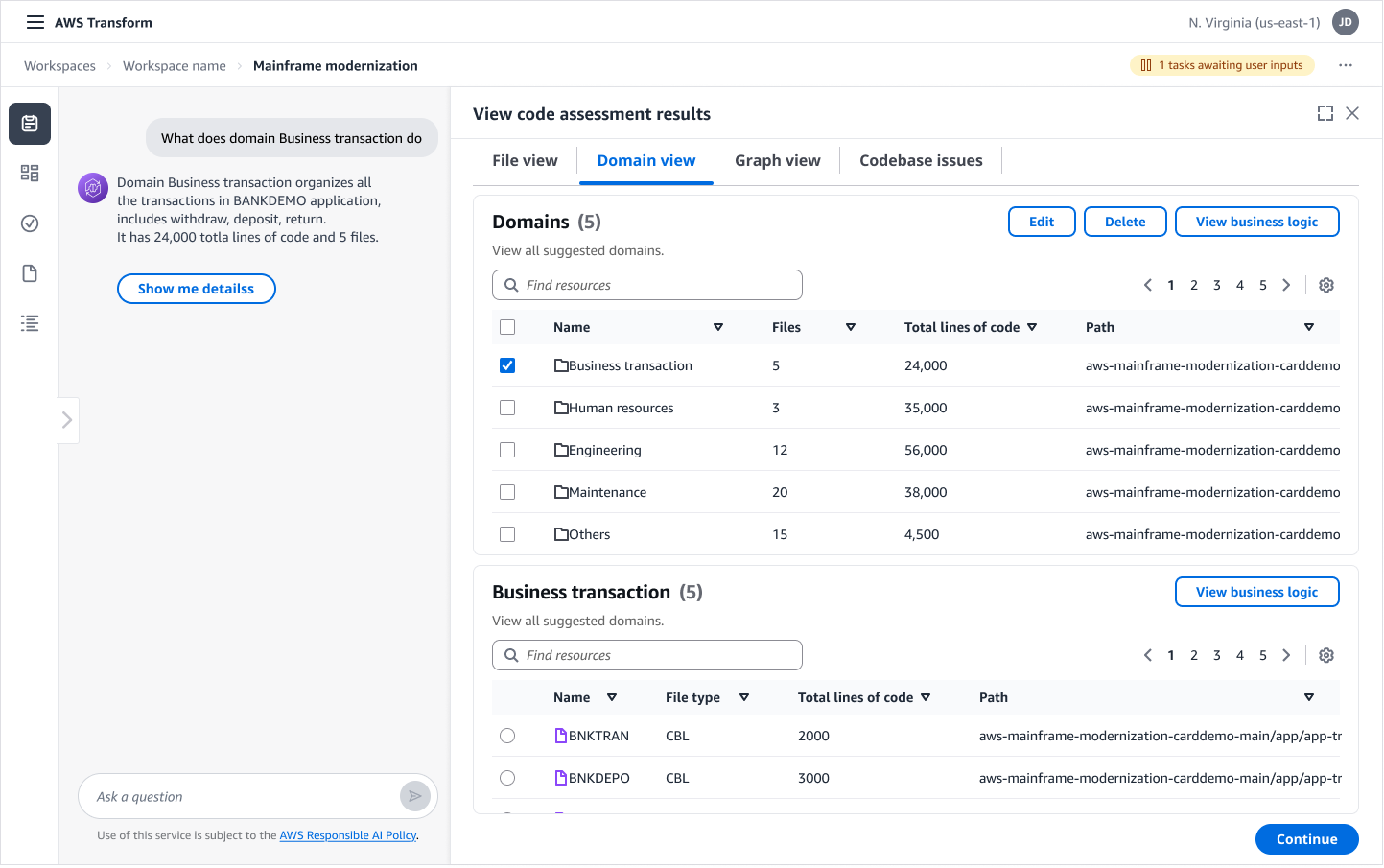
-Collapsible HITL (Human in the loop) panel that can be expanded full size.
-Collapsible task navigation.
The waiting problem
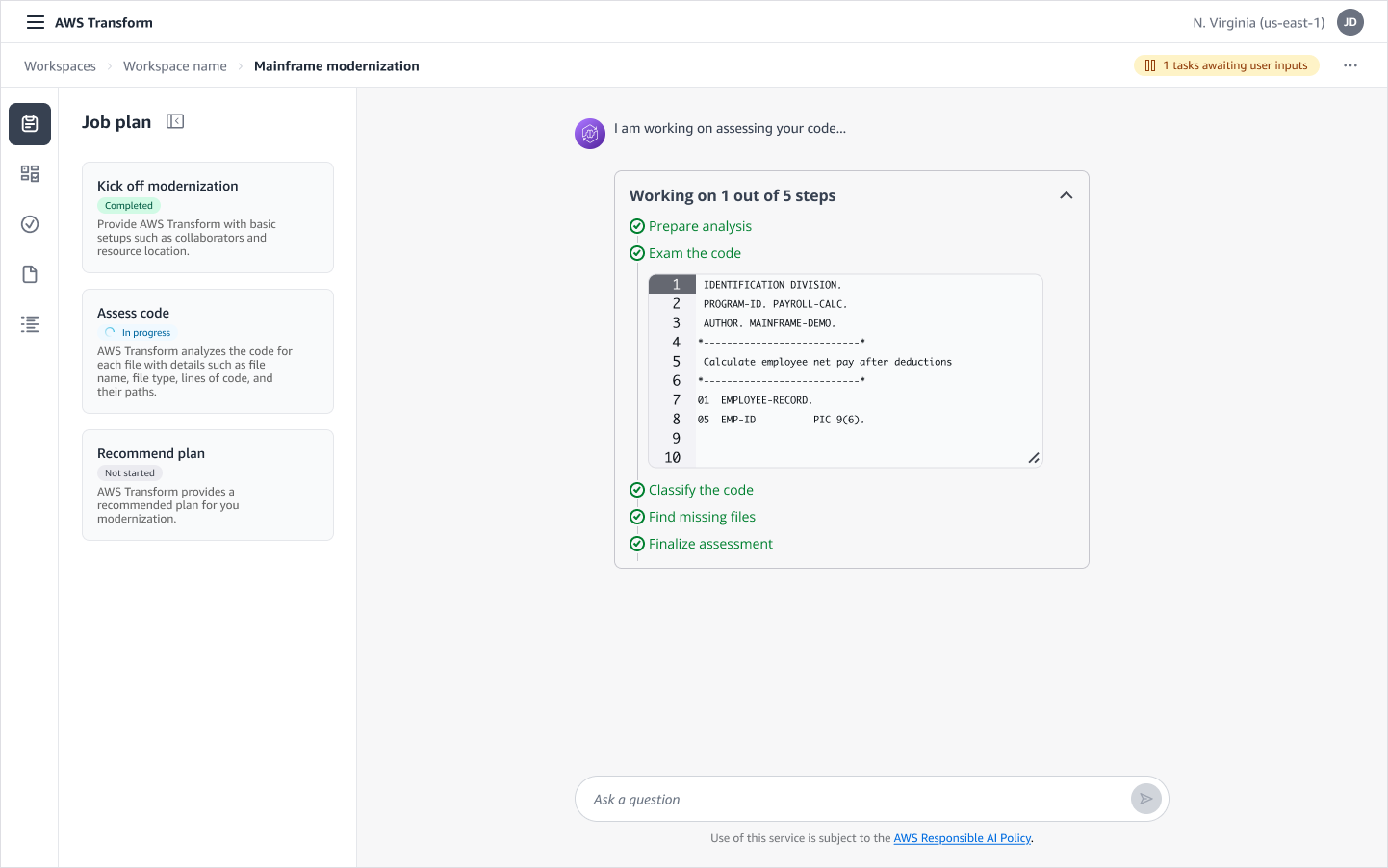
An AI agent can analyze the mainframe code, but it takes time to calculate. Customers can lose patience when the agent is taking their time. How could we make the customer more comfortable while waiting?
Disclose the progress of the task, inform the customer about the steps. Inform the customer which part of the code agent is working on.
The matching game
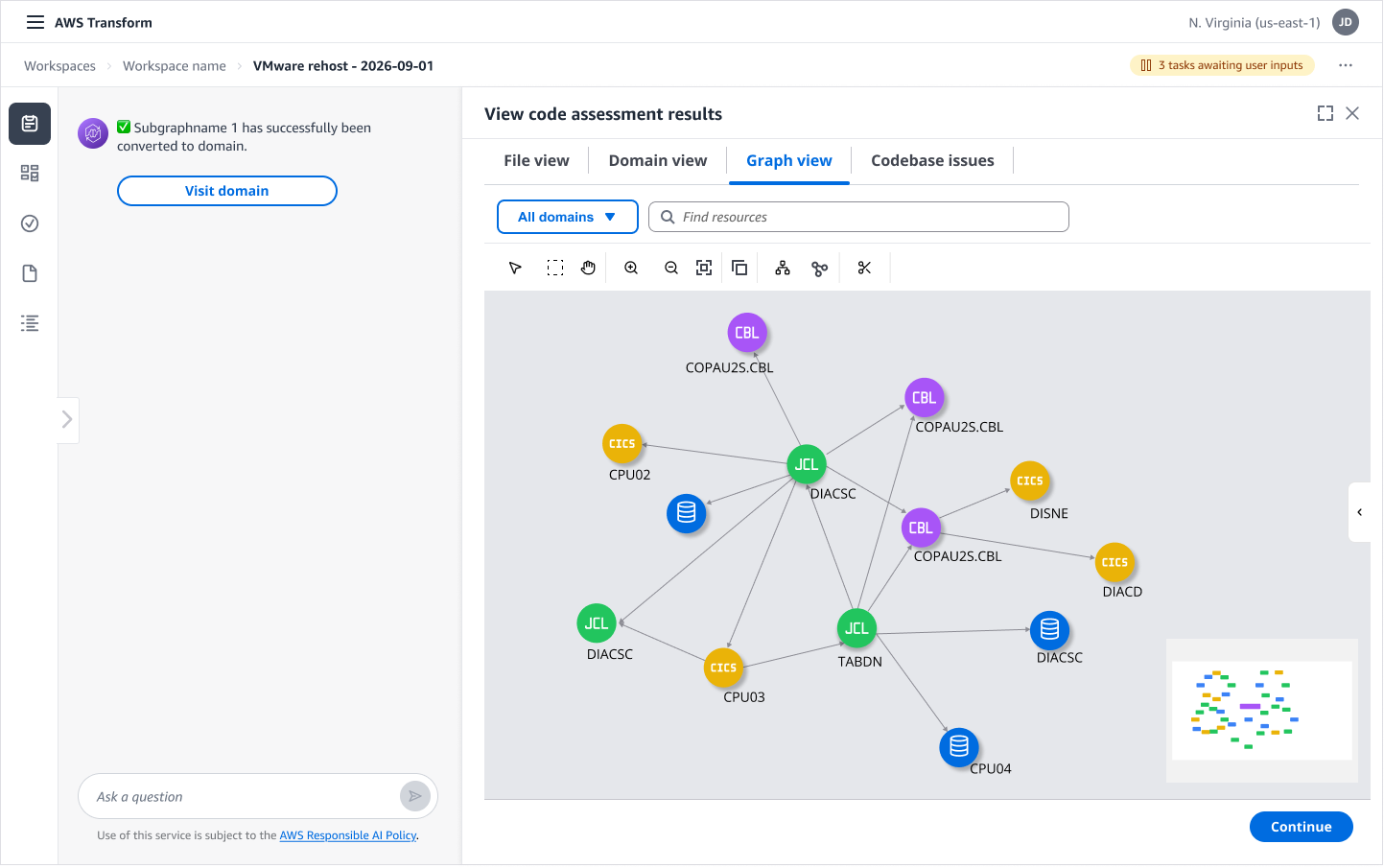
Customer insisted that the best way to understand data relationship is through a network diagram, along with conversations with the agent to identify the data they are looking for.
The output interface presents enlarged version of data visualization. To maintain consistency between chat UI and output UI, I color coded the file types. Then, in both chat and output interface, I made sure that all the file types share a consistent presentation, regardless of whether they are presented in tabular or graph.
Results and impacts
Within first year of launch, the tool had processed over 4 billion lines of legacy code and saved an estimated 1.6 million engineering hours in its first year.It acccelerated planning phases from weeks down to hours. It cut operational and licensing costs by up to 70% for enterprise customers modernizing aging stacks.
Brief
This project employed a mix of conventional design method, as well as design engineering experiment. For design system level change, I used design.md file to quickly change the look and feel. For detailed design on behaviors, I find professional design tools still essential to articulate specific ideas.
Development of the whole project was not completely smooth, gaps existed between the ideal experience vs. what can be done within the limited timeline. For example, the conversation experience was limited to text output only, the summary of each step was plain and minimum, progress indication could not be displayed in chat and left “Pausing” moments in the product. Team decided to launch the product within the planned timeline, quite a few interactions had to be put on the backlog. But with the support of usability study, many design interactions were able to be placed on immediate backlog.
